

Your fund data lives in Orca. Your thinking happens in Claude. Now they're the same place.
Orca's MCP connector bridges your Fund Management System directly into Claude's desktop interface. Once connected, you can ask plain-language questions about your fund - capital call status, LP distributions, portfolio positions, reporting data - and get answers pulled live from your FMS, right inside Claude. No exports. No copy-pasting. No context-switching. Here's how to set it up in under five minutes.
What You'll Need Before You Start
- Claude desktop app installed and open on your computer
- Your Orca account open in a browser tab (at fms.orcainc.com)
One important note: Both Claude and your FMS must be open at the same time during the connection step. Open both before you begin.
Step 1: Create your OAuth client in Orca
You now generate your own connector credentials inside Orca FMS. The Client ID and Secret are created in your personal cabinet and shown only once.
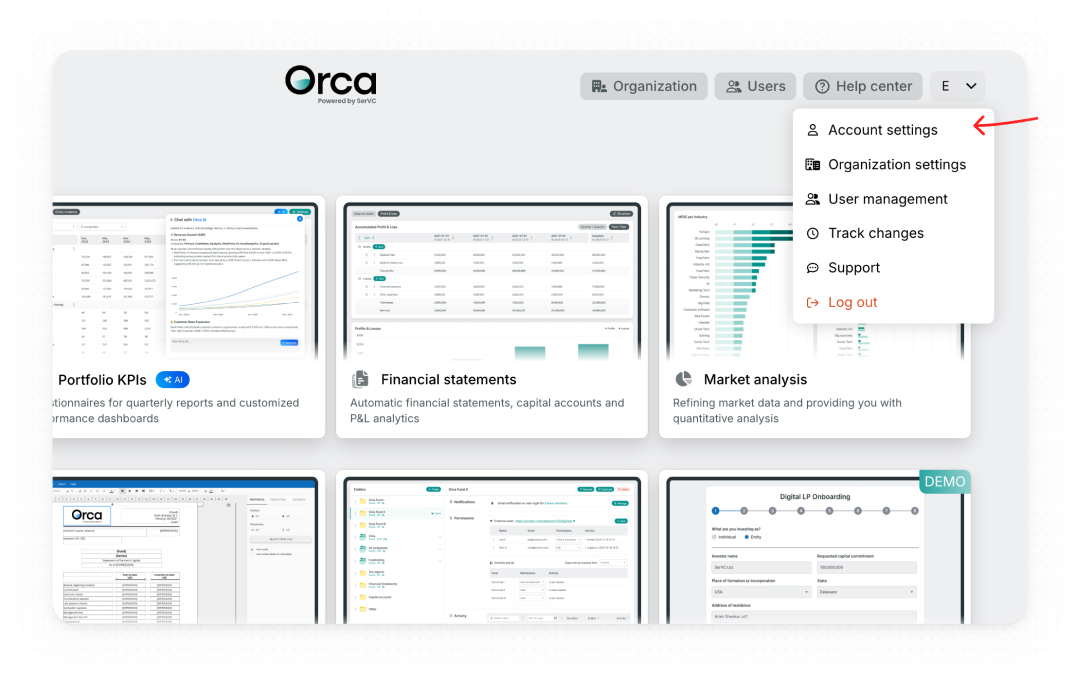
In Orca FMS (top right), click your avatar, then Account settings.
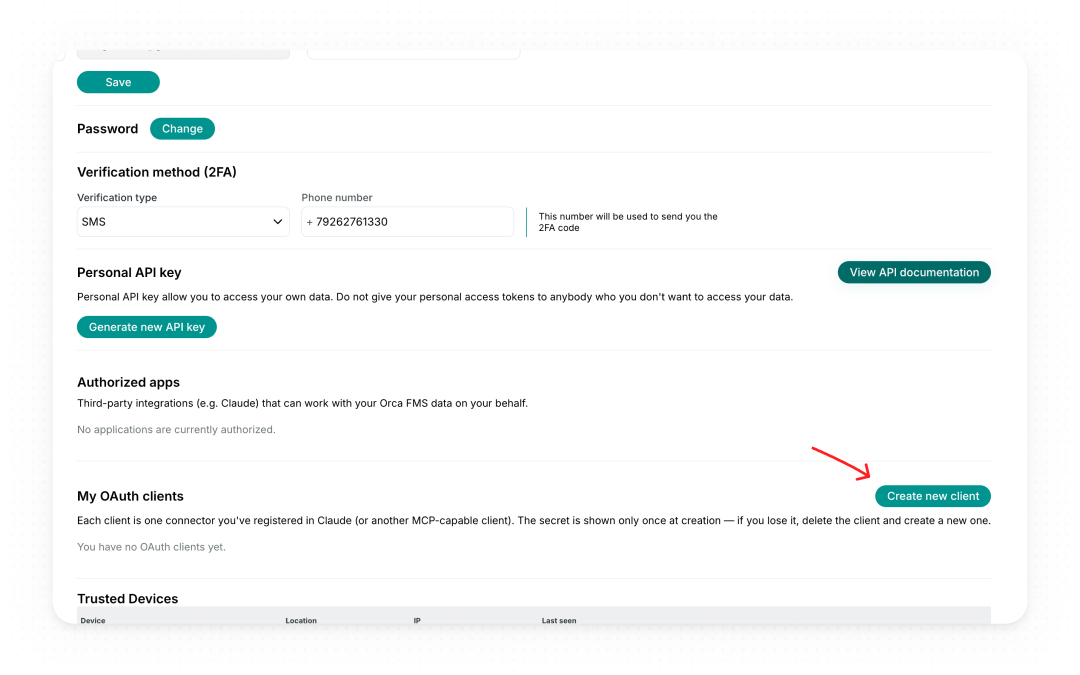
Scroll down to the My OAuth clients section and click Create new client. If you don’t see this option, ask your Orca admin to grant you connector-creation access.
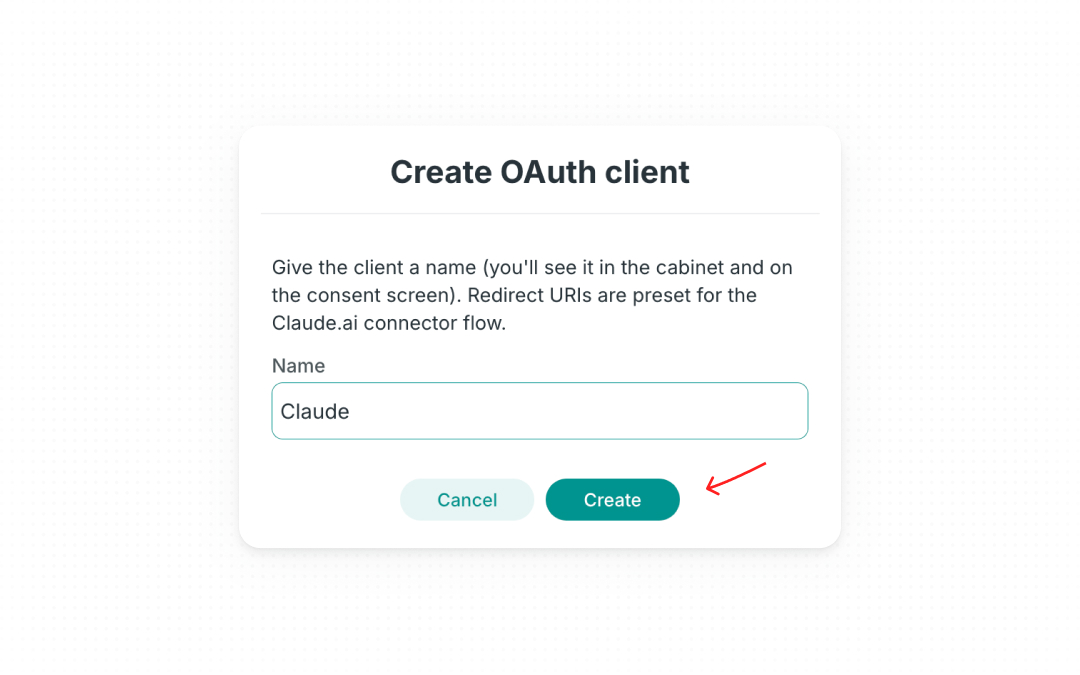
In the Create OAuth client dialog, enter a Name for the client (e.g. “Claude”). This name shows in your FMS cabinet and on the consent screen in Step 3 — it’s separate from the connector’s display name in Claude. Click Create.
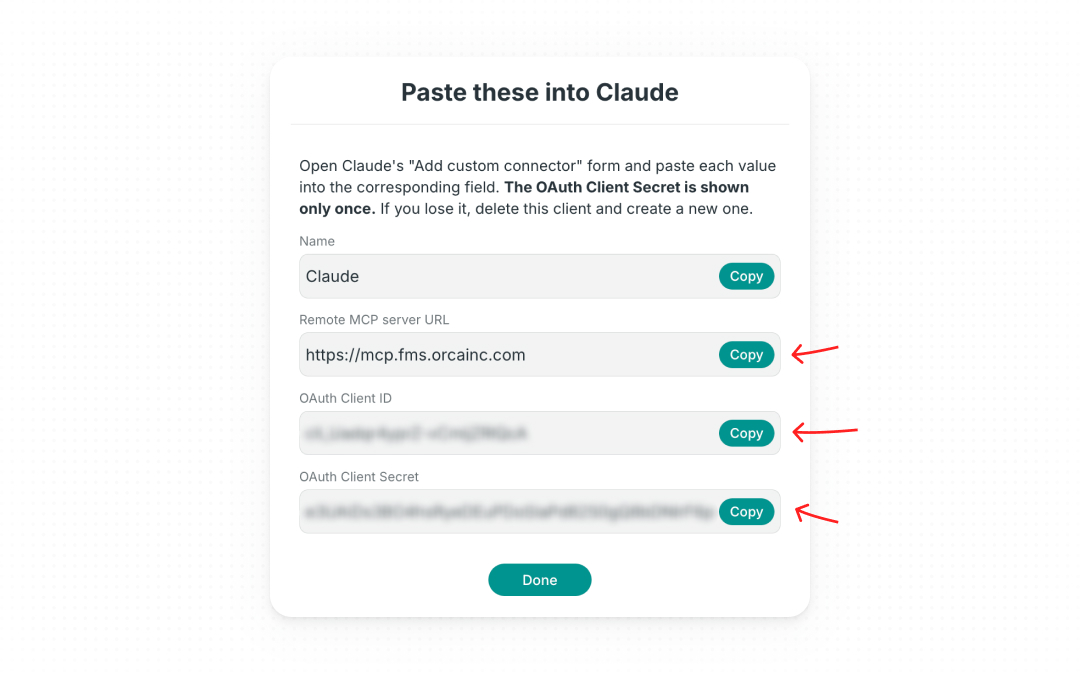
A pop-up titled “Paste these into Claude” appears. Copy the three values you’ll paste into Claude — Remote MCP server URL, OAuth Client ID, OAuth Client Secret — using the Copy button next to each. (You don’t need to copy the Name — in Claude you give the connector its own display name.)
Keep this pop-up and the FMS page open until you’ve finished Step 3 in Claude — once you click Done, the OAuth Client Secret can’t be retrieved again.
Step 2: Add Orca as a Custom Connector in Claude
In the Claude desktop app, navigate to Settings → Integrations (or the Connectors section, depending on your version).
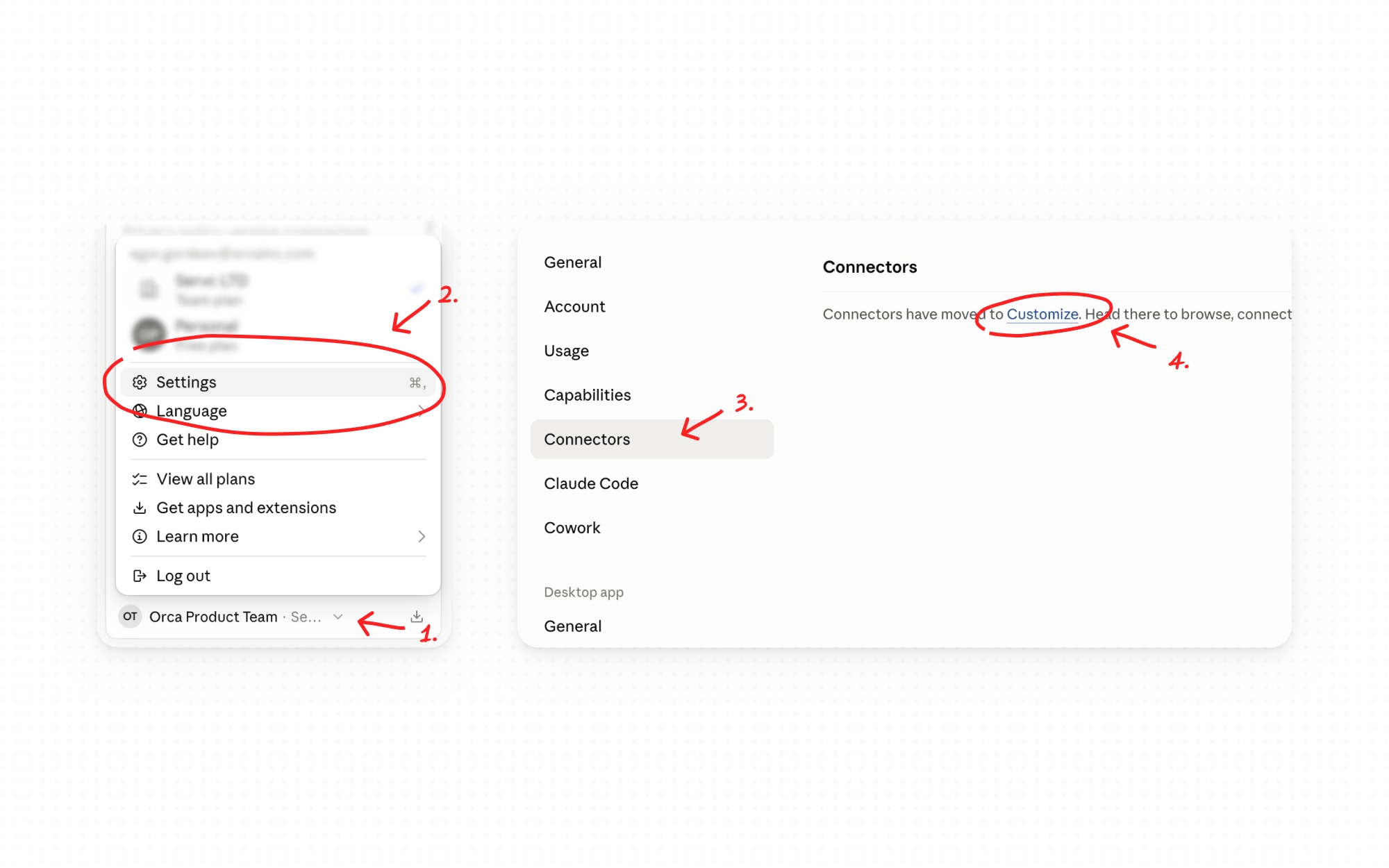
Click "Add custom connector."

In the Name field, enter: Orca. In the Remote MCP server URL field, enter https://mcp.fms.orcainc.com

Enter Your Credentials
- Click "Advanced Settings" to expand the authentication fields.
- Paste FMS generated keys.
- Click "Add."
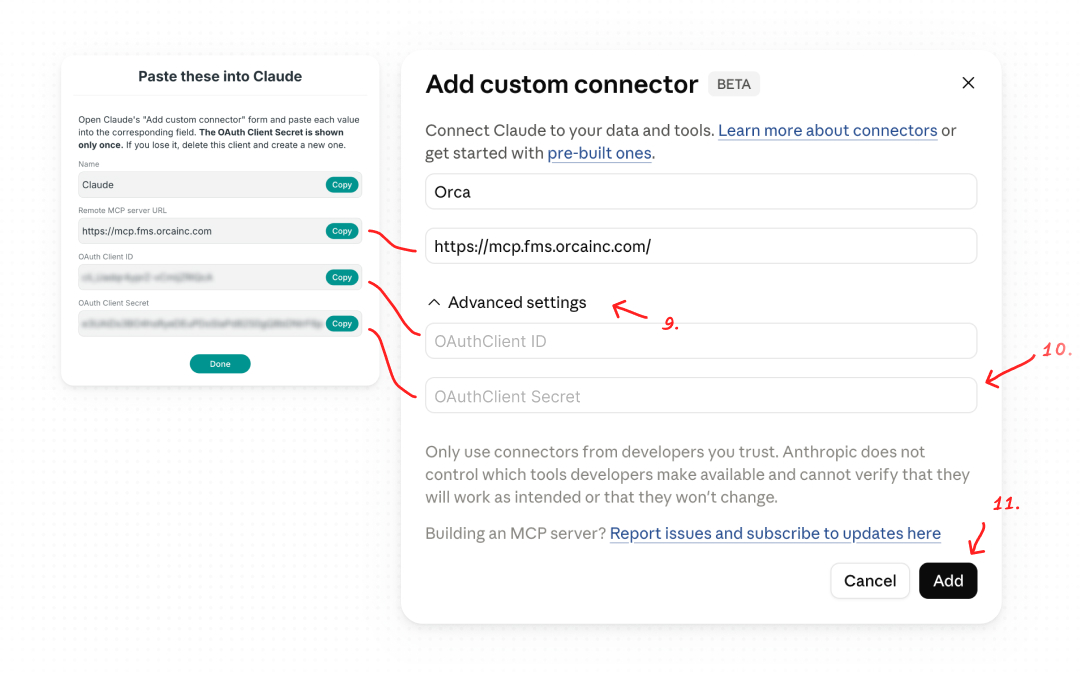
The MCP connector is now configured in Claude. But you're not done yet - you've added the connector, but haven't authenticated it against your live FMS account.
Step 3: Connect to Orca
1. Make sure you’re signed into https://fms.orcainc.com in your default browser.
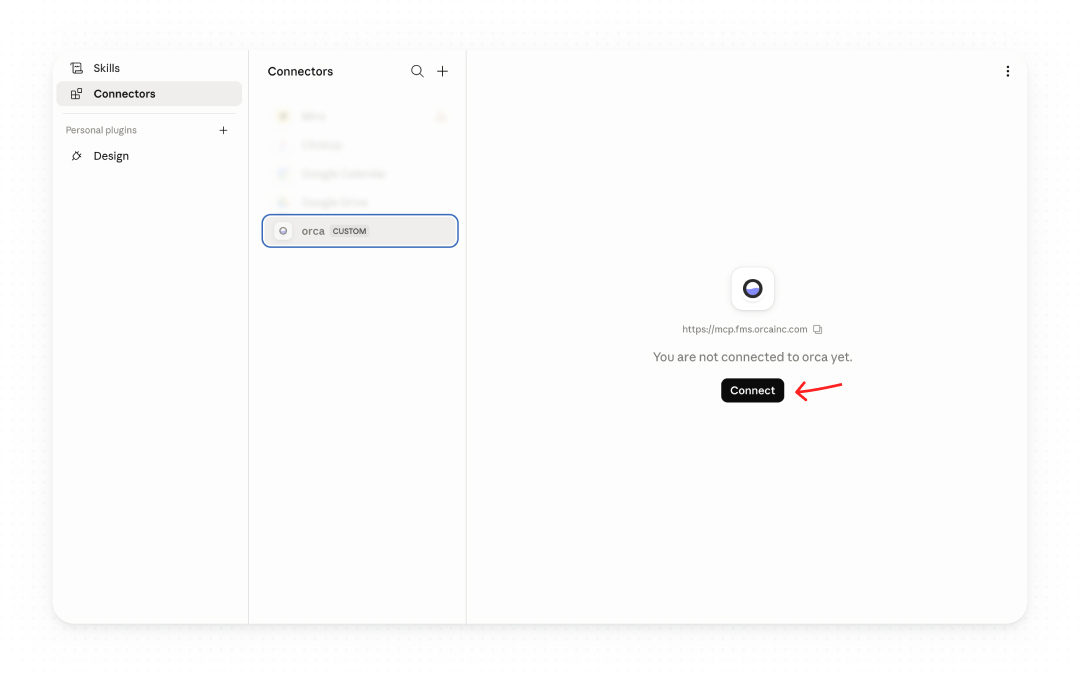
2. In Claude, click the Orca entry in your connectors list, then click Connect. You’ll be redirected to Orca FMS to authorize the connector.
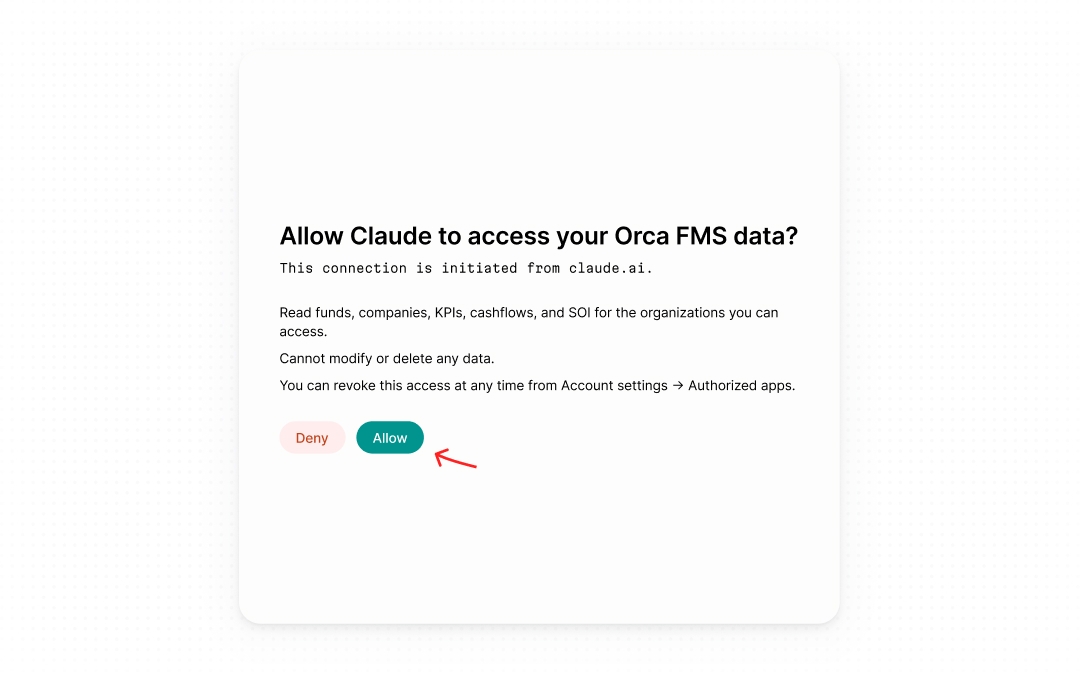
3. On the Orca consent screen, review the access and click Allow. You’ll be sent back to Claude, and the connector is ready — you can start using it in chat.
In case something goes wrong:
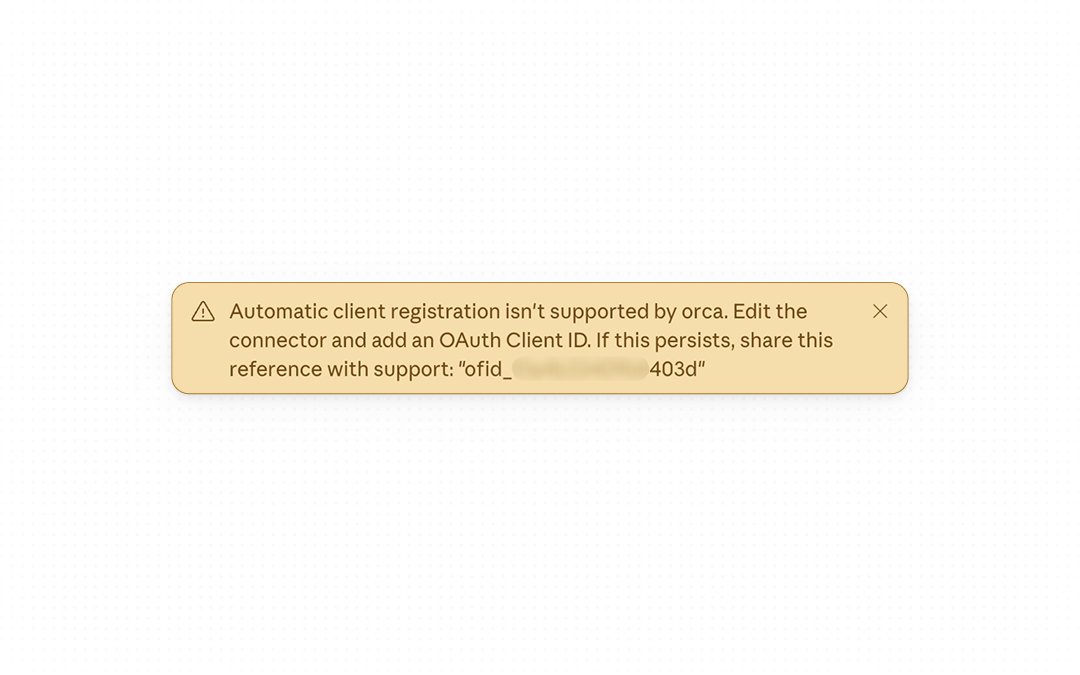
1. Remove the connector.
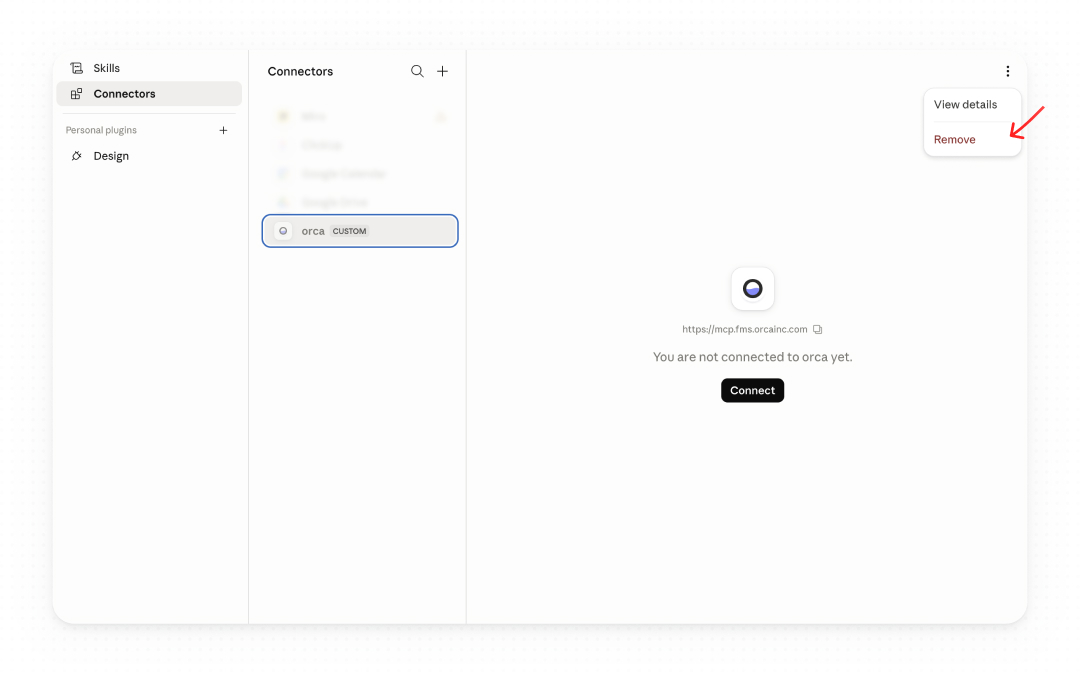
2. Start the process again.
Step 4: Start Asking Questions
With the connection established, Claude has read access to your Orca data. You can now ask questions in plain language directly in Claude:
"Show me the status of our most recent capital call."
Claude pulls the answers from your live Orca data and returns them in context - so you can analyze, compare, and build on them without ever leaving the chat.
Claude can navigate your full org → fund → company hierarchy and pull the underlying numbers: per-period fund performance (NAV, IRR, multiples, called and distributed capital), fund-level portfolio cashflows (money in, proceeds out, unrealized value), LP-level investor cashflows (contributions, distributions, recallable amounts), portfolio-company KPI history with actual/budget role filtering, and the Schedule of Investments at any level - whole organization across all periods, a single fund at a point in time, or a single company within a fund.
With Portal-admin privileges on an org, Claude can read the Portal side of the operation: active funds with investor counts and committed totals, paginated investor and user lists, and the full LP-communication trail - capital calls with viewed-status tracking, contributions with notification history, and documents with sent/viewed tracking. These are useful for answering "who hasn't acknowledged the latest capital call?" or "which LPs haven't opened their Q1 documents?"
What This Changes
Fund administration has always been a context-switching problem. Your data is in one place, your thinking is in another. Every question requires a login, a search, an export.
This connector eliminates that gap. Orca becomes conversational - something you can interrogate, summarize, and reason about, in real time, in the same tool where your thinking already happens.
Your fund just got an upgrade. Use it.
Questions about setup? Contact your Orca account admin or reach the team directly at support@orcainc.com.